BeeBillable (beebillable.com), a Chrome extension and web app we built and run · Custom AI Systems
An AI note writer for IT technicians' time entries
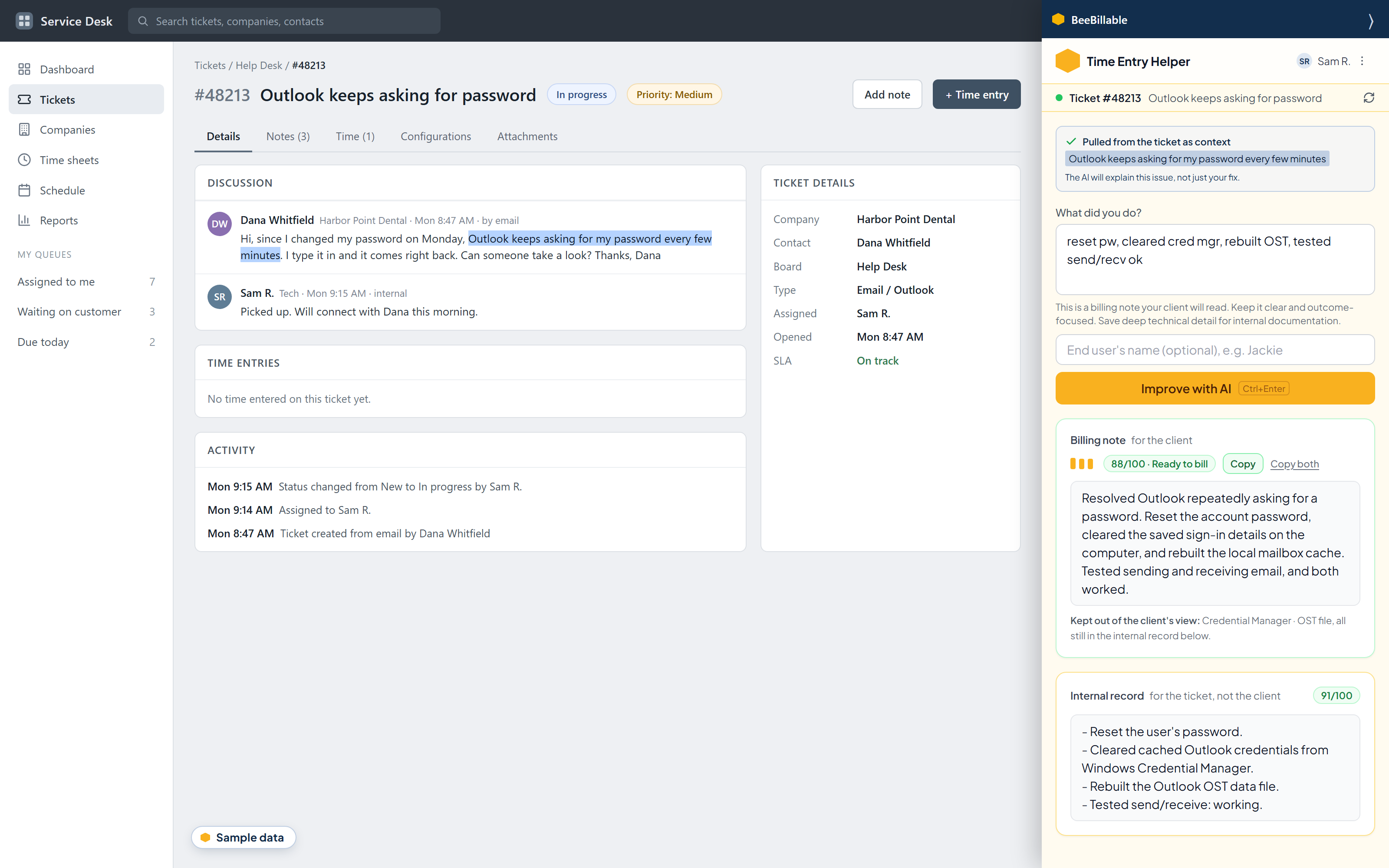
- A Chrome extension that opens beside the ticket: no API connection or service account to set up
- Works inside cloud ConnectWise, Autotask, HaloPSA and Syncro
- Writes only from what the technician typed and highlighted
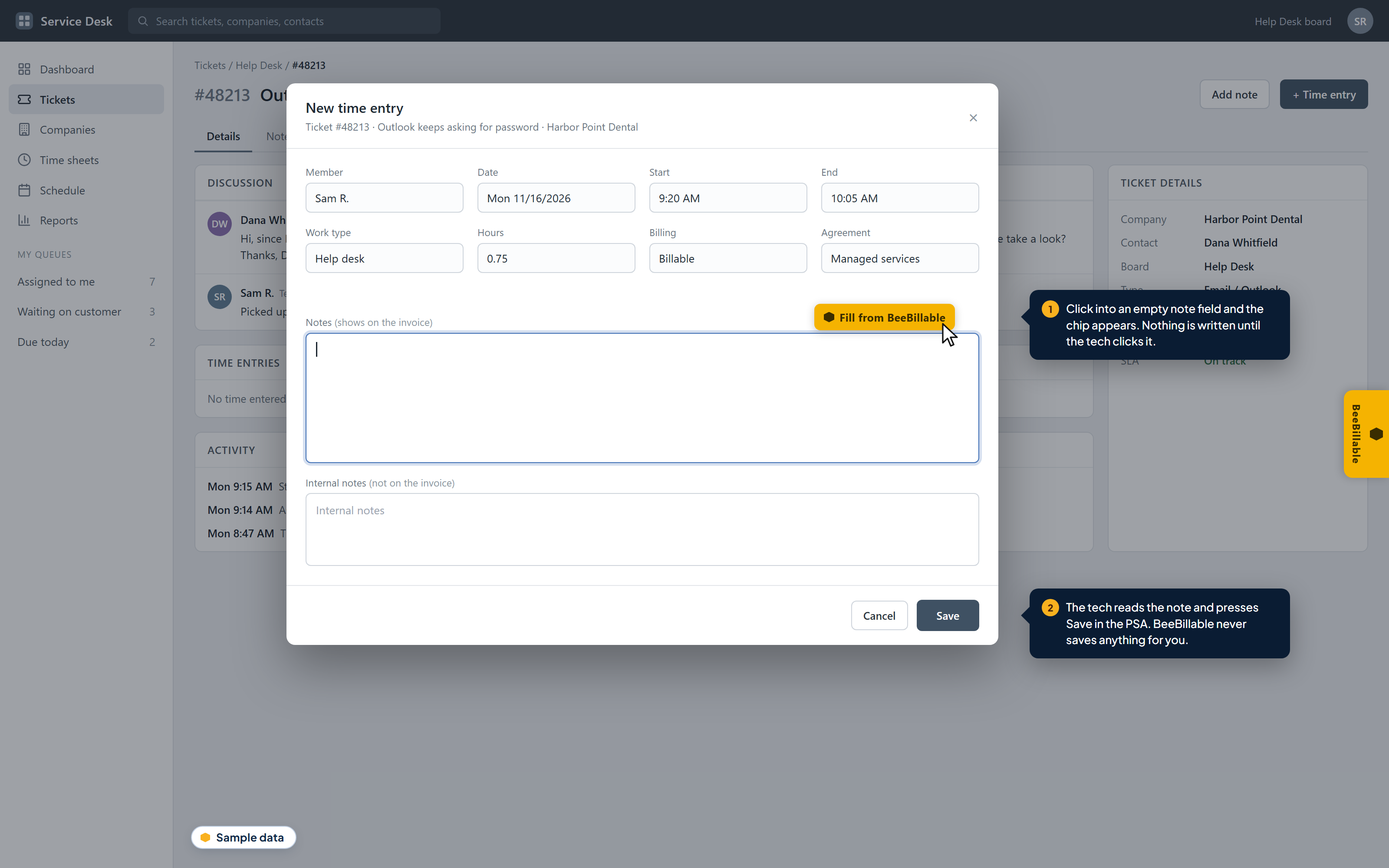
- Never saves anything in the PSA by itself
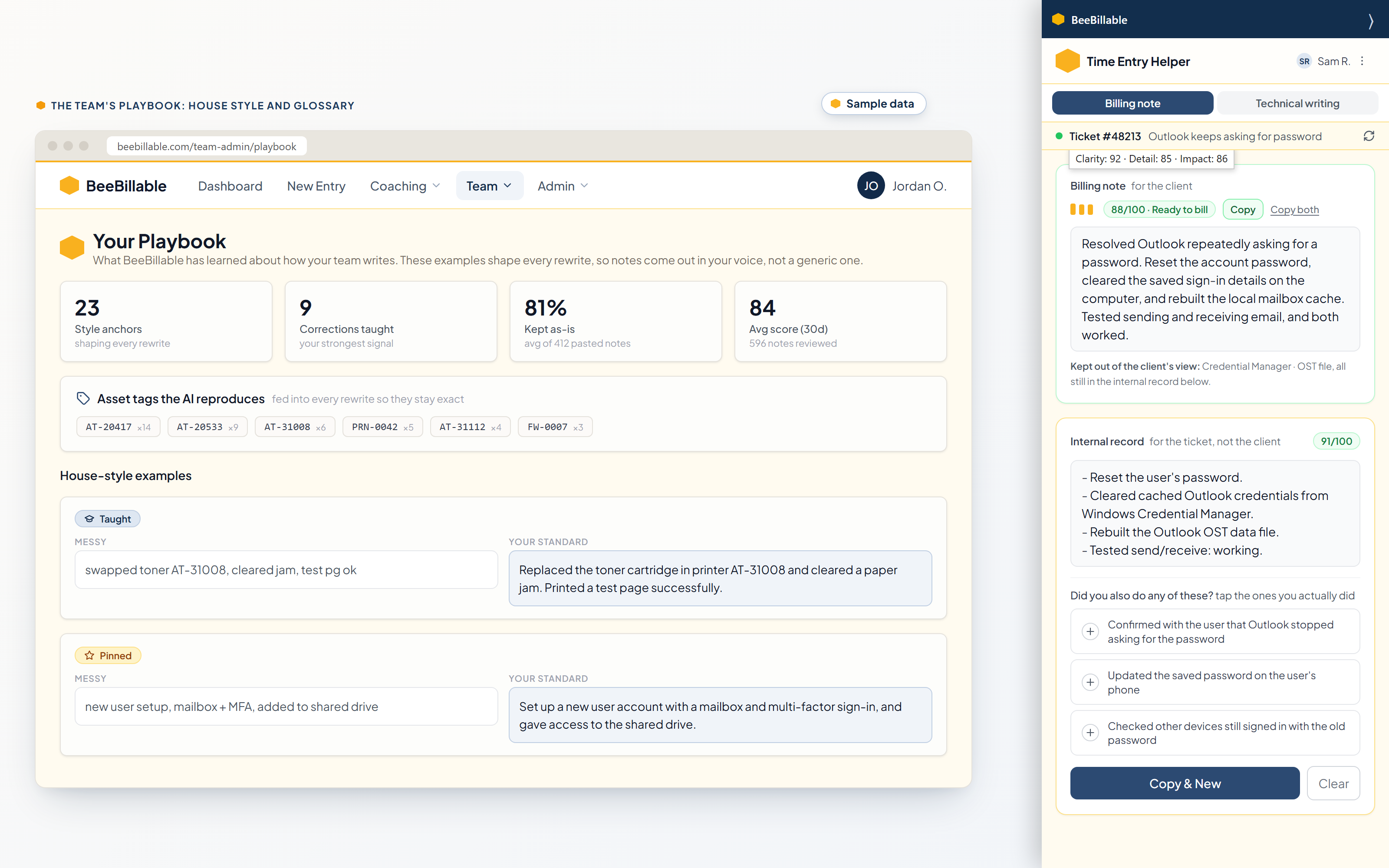
- Scores every note against the team's standards
The challenge
At a managed IT provider, the time entry note is what a client reads when they question a bill. Technicians write in shorthand like "fixed it", which makes worked hours hard to defend. General AI writing tools can make it worse by padding a note with work that never happened.
What we did
We built BeeBillable, a Chrome extension and web app that opens beside the ticket in ConnectWise, Autotask, HaloPSA and Syncro. The technician types what they did the way they normally would. Claude (Anthropic) rewrites it using only that text and the ticket text they highlight. Rules in the prompt forbid invented tests, people, equipment, numbers or access methods, and a second pass checks the rewrite against the original and puts back any hostnames, ticket numbers or asset tags that were dropped. The note goes into the PSA only when the technician clicks to fill it, and the technician always saves it themselves, so there is no API connection or service account to set up. Every note is scored against the team's standards, with a house style, a team glossary, and technician training and certification.
The result
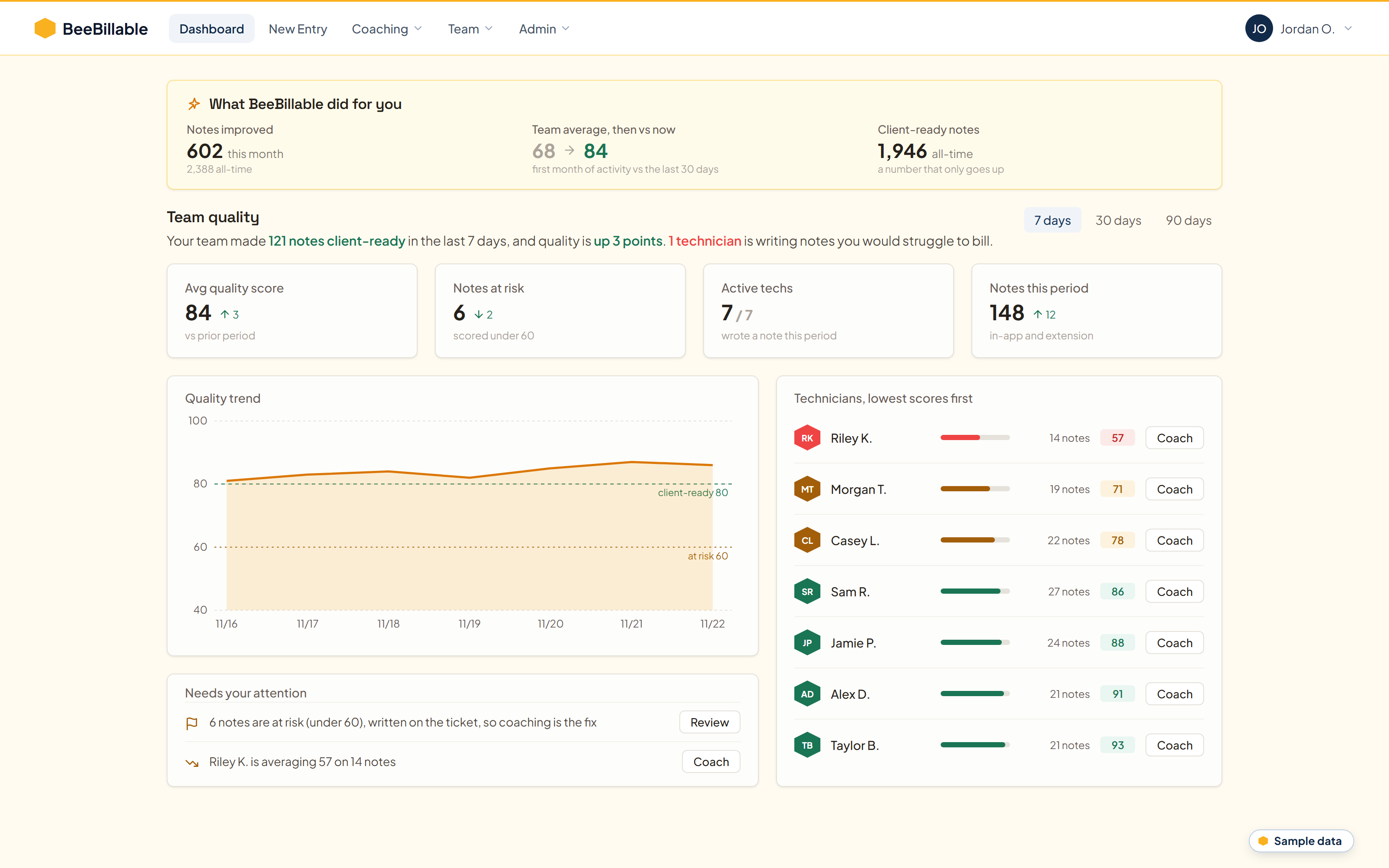
BeeBillable is in daily use at a Portland-area managed IT provider, and any team can install it from the Chrome Web Store. Team owners see on their dashboard how many notes were improved, how the team's average score has moved, and how many notes are client-ready. Admins can mark how each billed note ended (paid, disputed or written off), so the team can see over time whether weak notes cause more trouble. Note text and ticket context are deleted 365 days after they are submitted; scores and usage figures are kept.