A Portland-area managed IT services provider · Connected Operations
Emails from key clients no longer wait in the inbox
- Key client emails show up in Teams the moment they arrive
- Everyone else stays in the inbox, so alerts stay rare and get read
- Each VIP gets their own alert color
- Add or remove a VIP by editing a list, not the flow
- Standard Microsoft 365 connectors, no new software or Premium licence
The challenge
A client who emails about an outage or a deadline doesn't know you spent the morning on site. They only know how long they waited. Do that a couple of times and they start to wonder whether they are still a priority.
The owner of a Portland-area managed IT provider gets a steady stream of email: vendor notices, newsletters and automated alerts. The messages that can't wait, like a key client reporting a problem or a partner sending back signed paperwork, looked exactly like the rest. They waited until someone opened Outlook and spotted them, and on a day of site visits and meetings that could be hours.
What we did
We built a Power Automate flow on the Microsoft 365 the company already pays for.
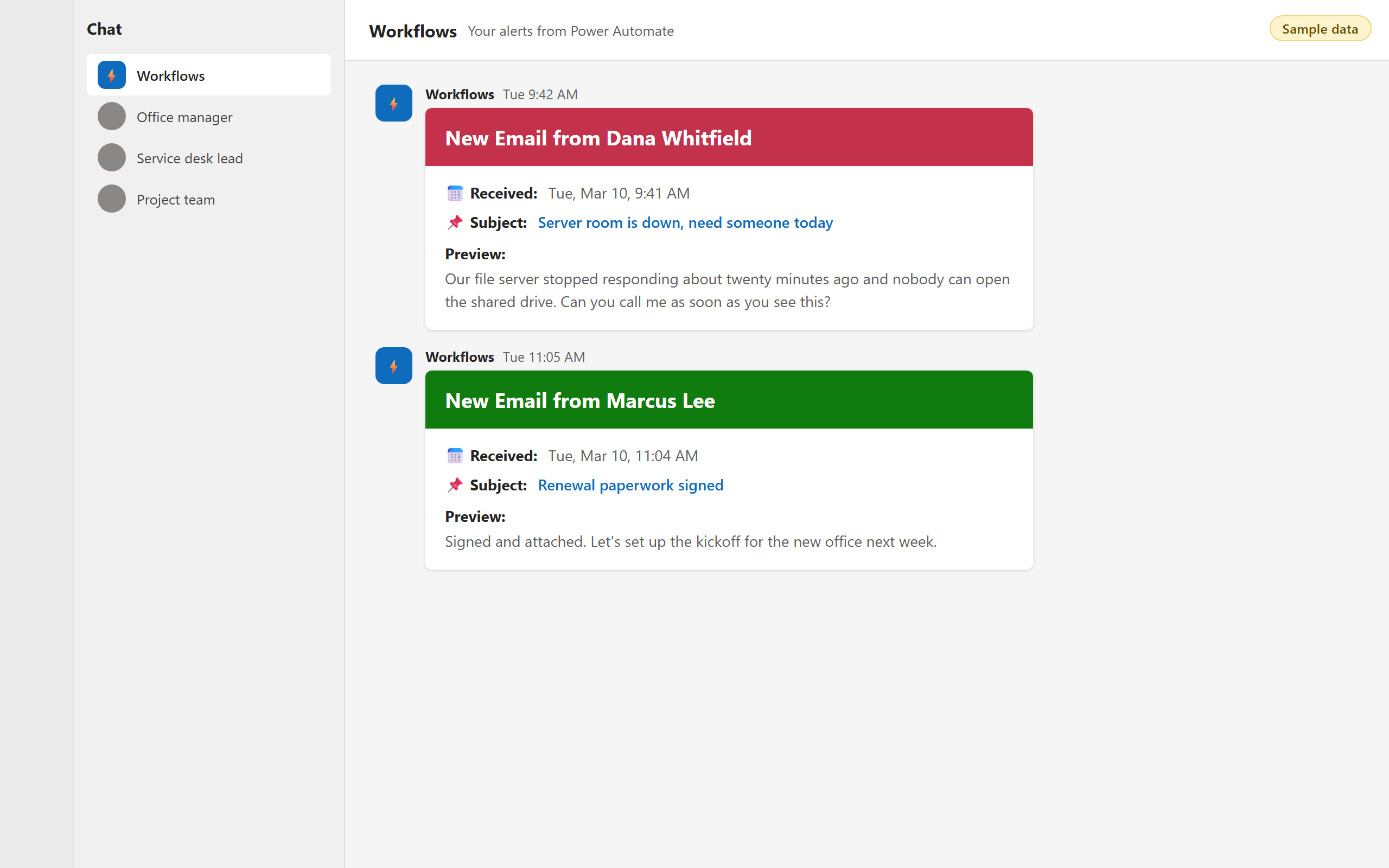
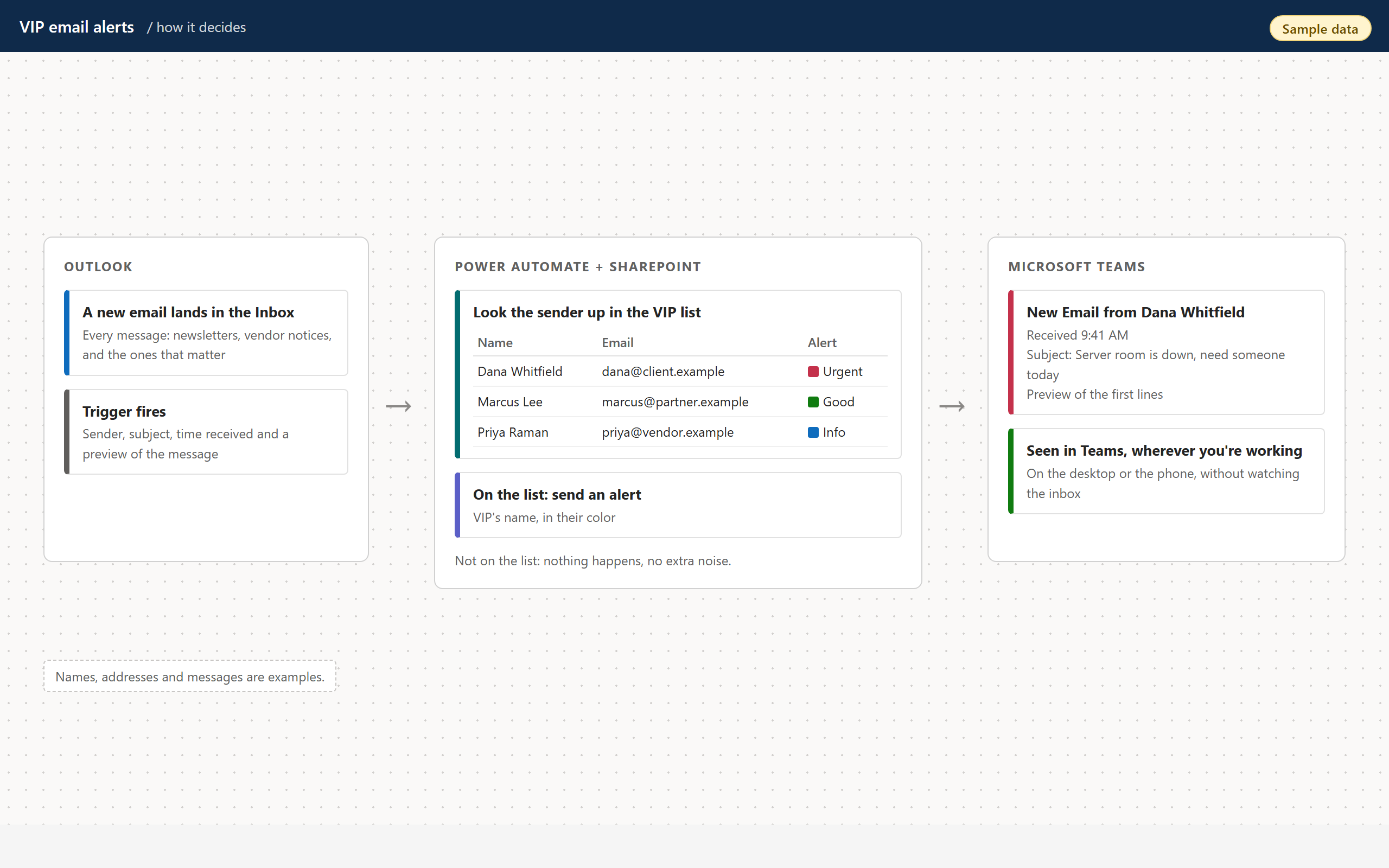
Every new email in the inbox is checked against a VIP list kept in SharePoint. Each row is a name, an email address and an alert color. When the sender is on the list, the Flow bot sends a Teams message the moment the email arrives, with the VIP's name in a colored header, the time, the subject and its first lines. When the sender isn't on the list, nothing happens, so the alerts stay rare enough to get read.
The list is the only thing anyone edits. Adding a new client or taking someone off is a change to a SharePoint row, not to the flow. Most of the work was deciding who belongs on it.
The result
Key client emails now reach the owner in Teams the moment they arrive, on the desktop or the phone. The flow was built in March 2025 and still runs on every email that reaches the inbox. The colors make the most urgent senders stand out, and keeping the list current takes seconds. It uses only standard Microsoft 365 connectors (Outlook, SharePoint and Teams), so there was no new software to buy and no extra licence.