Example build for a dental office (sample data, not a client) · Connected Operations
Example: after-hours voicemail alerts for a dental office
- Every after-hours voicemail posted to Teams with caller, time and transcript
- One tap tells the team who is calling the patient back
- No answer in 15 minutes: every on-call phone gets a text
- No patient details in text messages
- Built on Microsoft 365 and Power Automate
The challenge
At many dental practices, after-hours calls roll to voicemail. A patient with a cracked tooth or swelling leaves a message, and whether anyone hears it tonight depends on someone remembering to check the mailbox. When nobody does, the patient waits in pain until morning.
What we did
This is an example build shown with sample data. It is adapted from a voicemail escalation flow we built for a managed IT provider, and it runs on Microsoft Power Automate and Microsoft 365.
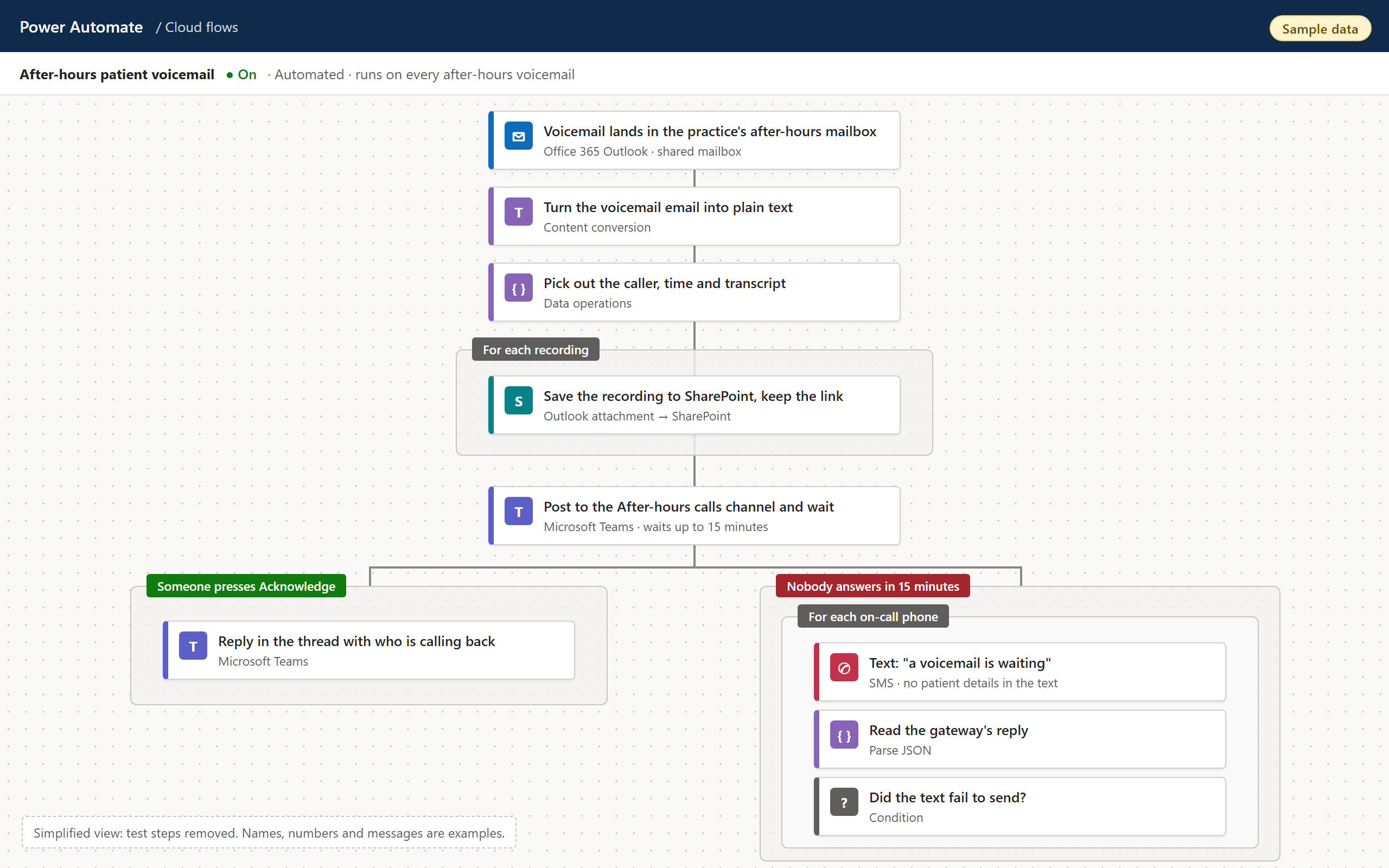
When a voicemail reaches the after-hours mailbox, the flow turns it into text, pulls out the caller, the time and the transcript, and saves the recording to the practice's SharePoint.
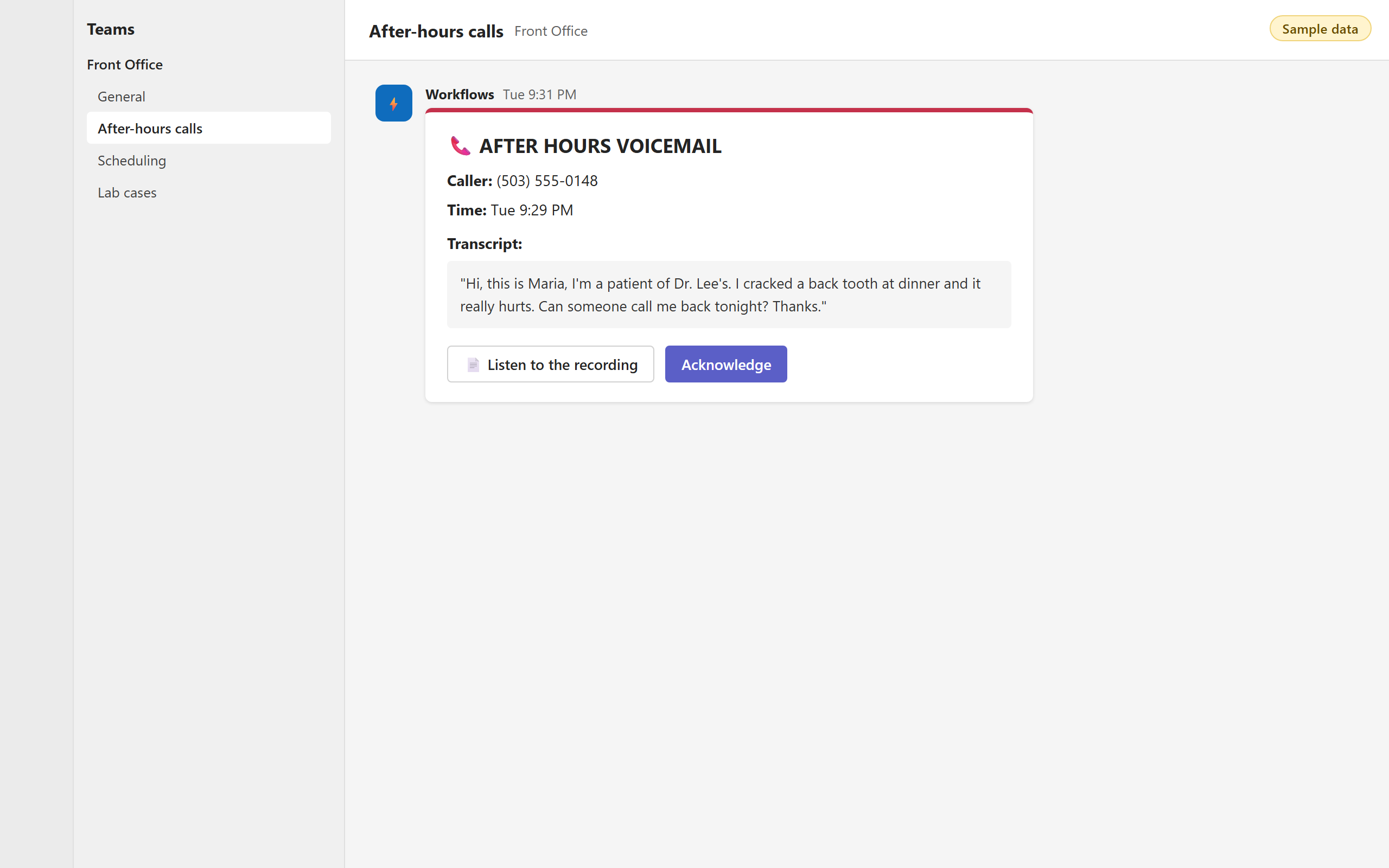
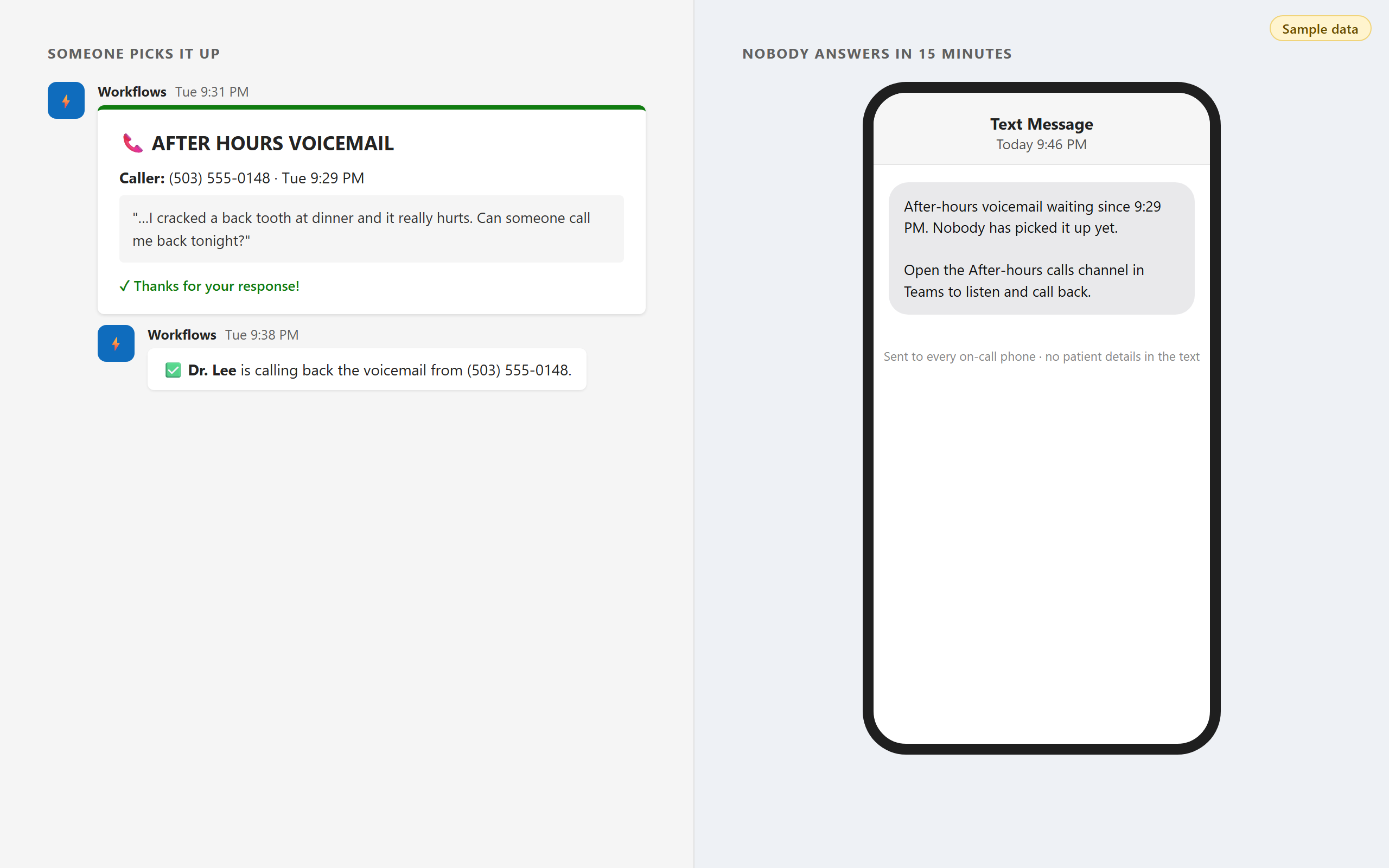
It posts all of that to an After-hours calls channel in Teams with an Acknowledge button. Whoever presses it is named in the thread, so the whole team knows the patient is being called back.
If nobody presses it within 15 minutes, every on-call phone gets a text saying a voicemail is waiting. The text carries no patient details. The transcript and the recording stay inside Microsoft 365.
The result
In this example, no after-hours voicemail sits unheard, the team can see who is calling each patient back, and patient details stay out of text messages. Most of it runs on Microsoft 365 the practice already has. The text-message step needs a Power Automate Premium licence for the account that runs the flow, plus an SMS service.